| 23 October 2026
Cyber attacks are no longer something that only happens to large companies. Every day, small and medium-sized businesses across the UK are targeted by criminals looking to steal money, data or access to systems. Understanding the different types of cyber attacks is one of the simplest ways to protect your business, your staff and your customers.
A cyber attack is any attempt to break into, damage or misuse your computers, accounts or information. Some attacks are clever, but many rely on simple tricks, such as a fake email or a weak password.
At Omnia Systems, we have supported businesses across the Northwest and the Midlands since 2011. In this guide, we explain the most common threats, the warning signs to watch for and the practical steps you can take today.
Table of Contents
What Are the Most Common Types of Cyber Attacks?
The main types of cyber attacks you are likely to come across are:
- Phishing emails, texts and phone calls
- Malware and ransomware
- Password attacks and stolen accounts
- Fake invoice and email fraud
- Attacks that take advantage of outdated software
Phishing
Phishing is when a criminal pretends to be someone you trust, such as your bank, a supplier or even your manager. The aim is to get you to click a link, open an attachment or share your login details.
How to Spot a Phishing Email
Watch out for:
- A sense of urgency, such as “your account will be closed today”
- A sender address that looks almost right but not quite
- Unexpected attachments or links
- Requests for passwords, payments or personal details
- Spelling mistakes or an unusual tone
Phishing by Text Message and Phone Call
Criminals also use text messages and phone calls. A text might claim a parcel could not be delivered, or a caller might say they are from “IT support” and need remote access to your computer. If in doubt, hang up and call the organisation back using a number you already know.
Malware and Ransomware Attacks
What Is Malware?
Malware is harmful software that gets onto your device without permission. It can steal information, spy on what you type or slow your computer down. It often arrives through phishing emails, unsafe downloads or infected USB sticks.
What Is Ransomware?
Ransomware is a type of malware that locks your files and demands payment to unlock them. For a business, this can mean days or weeks without access to important records. The National Cyber Security Centre (NCSC) advises that keeping regular, separate backups is one of the best ways to recover from ransomware without paying criminals.
Password Attacks and Stolen Accounts
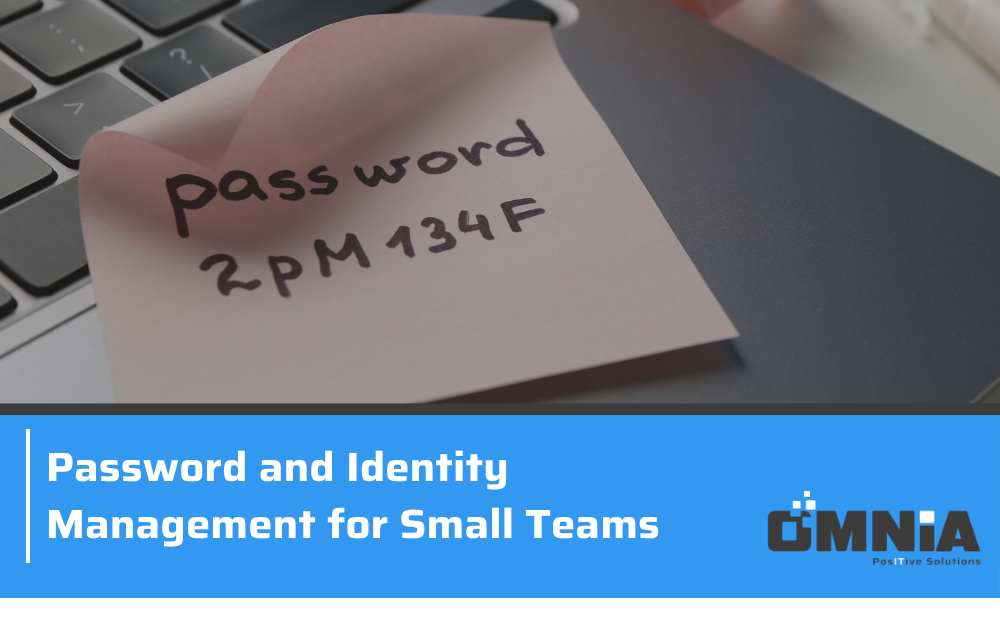
Many attacks succeed simply because a password is weak or has been reused. If one website you use is breached, criminals may try the same email and password on your work accounts.
To reduce this risk:
- Use a different password for every account
- Use three random words to create strong, memorable passwords, as recommended by the NCSC
- Use a password manager to store them safely
- Turn on multi-factor authentication wherever possible
Fake Invoice Scams and Email Fraud
This type of cyber attack targets your finances directly. A criminal may gain access to a supplier’s email account, or create one that looks very similar, then send a genuine-looking invoice with new bank details.
A simple rule protects you here: always confirm changes to payment details by phone, using a number you already have on file, never one given in the email.
Common Cyber Security Problems UK Businesses Face and How to Solve Them
Staff Do Not Know What to Look For
Problem: Most attacks begin with a person clicking something they should not.
Solution: Give staff regular, short training on spotting scams, and make it easy for them to report anything suspicious without fear of blame.
No Dedicated IT Person
Problem: Many small businesses have no one responsible for security.
Solution: Work with an outside IT partner who can take care of security on your behalf.
Outdated Devices and Software
Problem: Updates are put off because they feel inconvenient.
Solution: Turn on automatic updates and replace devices that no longer receive them.
No Reliable Backups
Problem: Without backups, a single attack could wipe out years of records.
Solution: Back up important data regularly, keep a copy separate from your main systems and test that it can be restored.
How a Managed Service Provider Can Help Protect Against Cyber Attacks
A managed service provider (MSP) looks after your IT for you, so you do not have to manage it alone. Omnia Systems can help by:
- Keeping your devices and software updated
- Setting up and managing backups
- Putting protections like multi-factor authentication in place
- Helping your team recognise scams
- Responding quickly if something goes wrong
Having a trusted partner means problems are spotted early, and you always have someone to call. Find out more about our cyber security support.
Protect Your Business from Cyber Attacks with Omnia Systems
Knowing the different types of cyber attacks is the first step towards protecting your business. Simple actions, such as training staff, using strong passwords, turning on multi-factor authentication and keeping regular backups, make a difference.
You do not have to do it alone. Omnia Systems supports businesses across the Northwest and the Midlands with friendly, personal IT and cyber security support.
Let us manage your IT so you can concentrate on what matters most: your business.